
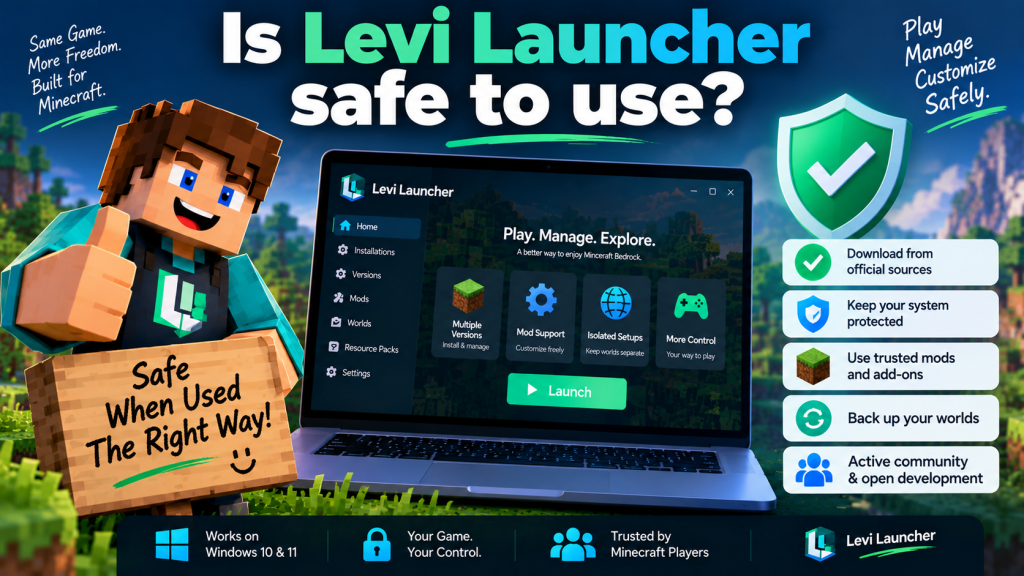
Levi Launcher can be reasonably safe to use when it is downloaded from official project sources and used with normal Windows security precautions. Designed for Minecraft Bedrock Edition on Windows, it helps players manage different game versions, isolated installations, mods, worlds, and other content from one desktop application.
Safety also depends on how Levi Launcher is used. Installing unknown mods, downloading modified launcher files, or experimenting with important Minecraft worlds without backups can introduce unnecessary risks. Following trusted download practices, official documentation, and basic system security steps can make the overall experience much safer.
Understanding What Levi Launcher Actually Does
Levi Launcher is a third-party desktop application built for Minecraft Bedrock Edition (GDK) on Windows. Its main purpose is to help users install, manage, isolate, modify, and launch Minecraft Release and Preview builds.
Because it interacts with Minecraft installations and game data, the launcher naturally needs access to certain files and Windows components. This does not automatically make the software unsafe, but it does mean users should understand what it is designed to do before installing it.
A Legitimate Minecraft License Is Still Required
Levi Launcher does not bypass Minecraft ownership or provide the paid game for free. Users still need a legitimate licensed copy of Minecraft Bedrock Edition.
This is important when evaluating websites that claim to offer special or modified versions of the launcher. Any download promising free Minecraft ownership should be treated with caution because that is not part of the official launcher purpose.
Downloading From the Right Source Matters
One of the most important safety precautions is downloading Levi Launcher only from sources identified by the project.
The official documentation lists GitHub Releases as a primary download location and also provides a Lanzou Cloud mirror as an alternative.
Why GitHub Is a Safer Choice
GitHub is often the most straightforward option because users can review several useful project details in one place, including:
- Release history
- Documentation
- Reported issues
- Development activity
- Downloadable builds
This makes it easier to verify that the file you are downloading actually belongs to the project.
Avoid random websites offering “cracked,” “premium unlocked,” or modified versions of Levi Launcher. If a site claims the launcher provides Minecraft for free, that claim does not match the official requirements.
Public Development Adds Transparency
Another useful factor is that Levi Launcher has a publicly accessible GitHub repository.
Users can review development activity, documentation, reported issues, releases, and significant portions of the source code. The project’s README states that its non-closed-source parts are licensed under LGPL-3.0.
Public Code Is Helpful, but Not a Guarantee
This wording matters because users should not automatically describe every component as fully open source without qualification.
A public repository can provide additional transparency, but it should not be treated as an absolute security guarantee. No application should automatically be considered completely risk-free simply because part or all of its code can be inspected.
Windows Security Warnings Need Context
Third-party applications can sometimes trigger antivirus warnings or reputation-based prompts, especially when they are less widely downloaded than mainstream software.
Levi Launcher’s changelog indicates that developers have previously adjusted compiler settings to help reduce antivirus false positives.
Do Not Ignore Every Warning
A security warning should still be reviewed carefully rather than automatically dismissed.
If Windows Security flags a file, check:
- Where the file was downloaded from
- Whether it came from the official release page
- Whether the filename matches the expected build
- Whether the release information looks legitimate
Keeping Microsoft Defender or another trusted security tool enabled is generally safer than disabling protection just to install software.
If the file came from an unknown website, deleting it and downloading an official copy is the safer option.
Isolation Helps Protect Minecraft Setups
One of Levi Launcher’s most useful safety-oriented features is installation isolation.
When isolation is enabled, a Minecraft version can keep its game data inside a separate workspace instead of mixing everything with the default Minecraft data location.
Why Isolation Is Useful
This is particularly helpful when testing:
- Preview versions
- Mods
- Experimental configurations
- Alternate resource packs
- Different Minecraft setups
For example, a player can keep a stable survival installation separate from an experimental modded setup. If a mod causes problems in the test environment, the main installation is less likely to be affected.
The official FAQ strongly recommends isolated setups when working with Preview builds or mods.
Mods Can Introduce Extra Risk
Levi Launcher supports mod-related workflows, but support for mods does not mean every modification found online is trustworthy.
Some mods can contain executable code or significantly change Minecraft’s behavior. Players should therefore download modifications only from reputable sources and avoid unfamiliar files shared through random websites, messages, or unofficial mirrors.
Test Mods Gradually
A safer approach is to begin with a clean isolated version and add mods gradually.
If Minecraft becomes unstable after installing a mod, remove the most recent modification and test the game again.
This helps identify whether the problem comes from Levi Launcher itself or from third-party content.
Backups Are Essential for Important Worlds
Even trustworthy software cannot prevent every problem caused by incompatible versions, corrupted files, experimental features, or user mistakes.
The Levi Launcher troubleshooting documentation recommends backing up important Minecraft worlds before recovery work or major changes.
When You Should Back Up
Backups are especially important before:
- Testing Minecraft Preview builds
- Installing or updating multiple mods
- Moving worlds between versions
- Editing world information
- Deleting an isolated installation
Levi Launcher includes world-management functionality, but keeping at least one backup outside the active game environment gives users stronger protection.
Use Trusted Sources for Required Components
Levi Launcher depends on legitimate Windows components such as Microsoft Gaming Services, Microsoft GameInput, and WebView2 Runtime.
If one of these components is missing, the launcher may guide users through the required setup.
Avoid Unofficial Runtime Installers
When manually installing Microsoft dependencies, obtain them through Microsoft or another source referenced by the official documentation.
Avoid third-party websites offering modified runtime installers, unknown packages, or unofficial replacement files.
The same rule applies to launcher updates: use Levi Launcher’s supported update process or official project release channels instead of downloading replacement files from unfamiliar websites.
Keep Windows Security Enabled
Keeping normal Windows security protections active is another simple way to reduce unnecessary risk.
Users should keep Windows Security enabled, install operating system updates when appropriate, and avoid disabling security features simply because an installer or mod is being blocked.
Review Before Allowing Access
If Windows requests elevated permission or displays a security prompt, review the source and context before continuing.
A trusted launcher downloaded from an official source is very different from a modified installer obtained from an unknown website.
What to Do When Something Looks Suspicious
If Levi Launcher begins behaving unexpectedly, do not immediately assume either that the application is malicious or that every warning is harmless.
Start by reviewing recent changes to your Minecraft setup.
Check whether you have:
- Installed a new mod
- Changed Minecraft versions
- Added a new resource or behavior pack
- Downloaded files from an unofficial source
- Changed Windows components or permissions
Test a Clean Environment
The project’s troubleshooting guidance recommends removing recent mods or packs, testing a clean isolated installation, checking required Windows components, and reinstalling an affected version when necessary.
Levi Launcher can also create startup diagnostics in certain failure situations. These logs can be useful when reporting reproducible problems through GitHub.
Use Logs and Official Support for Persistent Problems
If an issue continues after basic troubleshooting, startup logs and official project support resources can help provide more useful information.
A reproducible issue is easier to investigate when users can provide clear technical details.
When reporting a problem, include:
- Windows version
- Levi Launcher version
- Steps that reproduce the issue
- Relevant logs
- Screenshots of the error
This makes it easier to determine whether the problem is related to the launcher, Windows, Minecraft, or third-party content.
Conclusion
Levi Launcher can be safe to use when it is downloaded from the official GitHub Releases page or another project-listed source and used with sensible precautions. Its public development repository, isolated Minecraft environments, troubleshooting tools, and backup-oriented workflows give users several ways to manage Minecraft Bedrock more carefully.
Levi Launcher should still be treated like any other third-party application. Keep Windows security enabled, avoid suspicious downloads, use trusted mods, maintain backups of valuable worlds, and review unexpected warnings instead of bypassing them automatically. These habits can help Minecraft Bedrock players use the launcher with greater confidence and lower unnecessary risk.