
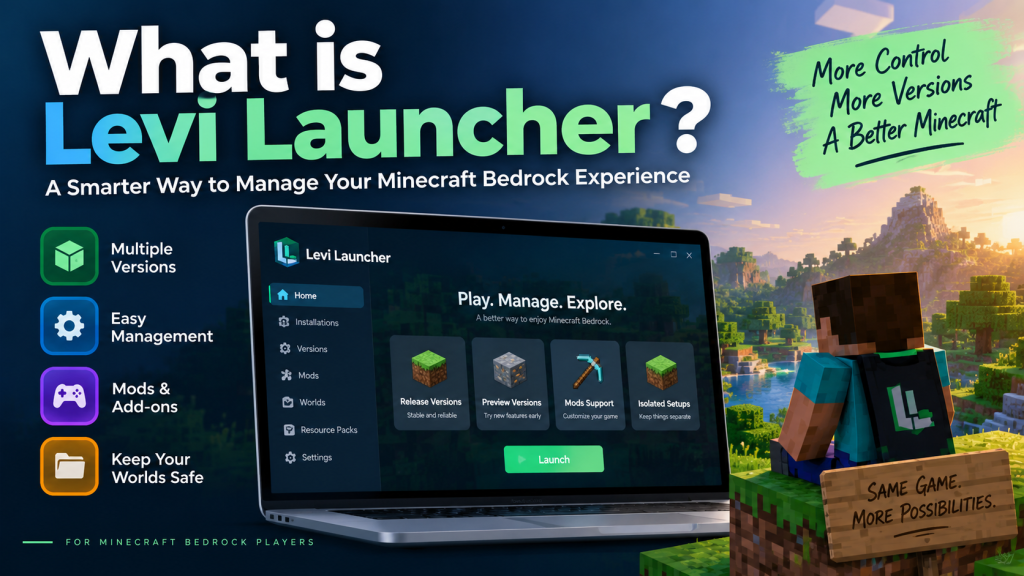
Levi Launcher is a desktop launcher designed for Minecraft Bedrock Edition players who want more control over how they install, manage, and play different game versions on Windows. Instead of relying on a single standard Minecraft installation, it provides a more organized environment for handling Release and Preview builds, worlds, packs, settings, and other game content.
For players who enjoy testing new Minecraft features, using mods, or keeping different setups separate, Levi Launcher can make everyday management easier. Its focus on version control and isolated installations also gives users more flexibility when experimenting, while helping them keep their main Minecraft setup separate from test environments.
Understanding the Purpose of Levi Launcher
Levi Launcher is mainly created for Minecraft Bedrock Edition on Windows. It works as a management layer that allows players to install, organize, and access different Minecraft versions from a single interface instead of depending entirely on the standard installation method.
A normal Microsoft Store installation is usually enough for players who only want to use the latest Minecraft version. However, users who regularly switch between stable releases and Preview builds may need more flexibility, especially when different setups are required for different types of gameplay.
Managing Different Minecraft Versions
Levi Launcher addresses this need by allowing Minecraft versions to be managed individually. Players can keep different builds available without constantly replacing their main installation every time they want to test another version.
It is also important to understand that Levi Launcher does not provide Minecraft for free. Users still need a legitimate copy of Minecraft Bedrock Edition connected to their Microsoft account before using the launcher properly.
How Levi Launcher Works
The basic workflow of Levi Launcher is relatively simple. After the required Windows components are available, users can open the launcher and choose the Minecraft version they want to install or manage.
Players can select between Release and Preview versions, install the required build, give the setup an identifiable name, and launch it whenever needed. Versions that are no longer required can also be removed from the launcher.
Using Isolated Installations
One of the most useful options available in Levi Launcher is isolation. When this feature is enabled, an installed Minecraft version keeps its worlds, packs, and related game files separate from the default Minecraft data.
This separation can be especially useful for players who test experimental content, Preview builds, or modded configurations. It allows different setups to remain more organized instead of mixing every file into one Minecraft environment.
Key Features of Levi Launcher
Levi Launcher includes several features aimed at players who want greater control over Minecraft Bedrock. Its version-management tools are one of the main reasons advanced players may prefer it over a standard installation.
Users can keep multiple Release and Preview builds on the same Windows computer instead of constantly replacing one version with another. This makes switching between different Minecraft setups much more convenient.
Content Management Tools
The launcher also includes tools for managing different types of Minecraft content, including:
- Worlds
- Resource packs
- Behavior packs
- Skin packs
- Screenshots
- Server lists
Having these tools available in one place can make Minecraft content easier to organize, particularly for users who maintain several worlds, packs, or custom setups.
Mod Support and World Utilities
Mod support is another notable feature of Levi Launcher. It can work with supported .zip and .dll mods and also provides workflows for tools such as LeviLamina.
The launcher includes world-related utilities as well. These can help users export backups and inspect certain world information, making it more practical for players who regularly manage or customize their Minecraft environments.
System Compatibility and Requirements
Levi Launcher is intended for computers running Windows 10 or Windows 11. Its main focus is Minecraft Bedrock Edition using the GDK environment, which means it is not designed as a launcher for Minecraft Java Edition.
Users also need a licensed copy of Minecraft Bedrock Edition associated with their Microsoft account. The launcher works alongside the legitimate Minecraft installation rather than replacing the need to own the game.
Required Windows Components
Depending on the system configuration, Levi Launcher may also require several Windows components, including:
- Microsoft Gaming Services
- Microsoft GameInput
- Microsoft Edge WebView2 Runtime
An internet connection is also needed for activities such as downloading Minecraft versions, checking version information, testing available download sources, and checking for launcher updates.
Benefits of Isolated Minecraft Versions
Isolation is one of the strongest reasons some Minecraft players may choose Levi Launcher. Different Minecraft setups can be kept separate so that experimental files do not automatically interfere with a player’s main game environment.
For example, someone could maintain a stable survival setup while separately testing a Preview build or modded configuration. This allows experimental gameplay to take place in a different environment instead of using the same files as the player’s regular installation.
Why Backups Still Matter
Isolation can reduce the chance of different setups interfering with each other, but it does not remove every possible risk. Problems can still occur when working with mods, different Minecraft versions, or edited game data.
For that reason, players should continue creating backups of important worlds before installing mods, switching versions, or making major changes to their Minecraft setup. Isolation and backups work better together than either method alone.
Who Should Consider Using Levi Launcher?
Levi Launcher is best suited to Minecraft Bedrock players who do more than simply launch the latest stable version of the game. Its features are particularly useful when different versions or custom environments need to be managed regularly.
Players who test Preview features, experiment with mods, manage multiple worlds and content packs, or maintain separate configurations may benefit the most from the launcher. Content creators, technical players, add-on testers, and experienced users may also appreciate its version-management tools.
Is It Necessary for Casual Players?
Not every Minecraft player needs the additional functionality Levi Launcher provides. Casual players who only use the latest official Bedrock version and rarely modify their game may find the standard Microsoft Store installation completely sufficient.
The launcher becomes more useful when a player starts working with multiple versions, experimental builds, isolated environments, or custom content that requires greater organization.
Is Levi Launcher Safe to Use?
As with any third-party Minecraft utility, users should be careful about where they obtain installation files. The Levi Launcher information site recommends using the project’s own release pages instead of unknown mirrors or websites promoting suspicious “premium,” “unlocked,” or free-Minecraft versions.
Users should also keep Windows and their security software updated when using third-party tools. These basic precautions can help reduce unnecessary risks while keeping the system and Minecraft installation better protected.
Protecting Important Minecraft Data
Backing up important worlds is especially recommended before experimenting with mods or Preview builds. Even when isolated installations are being used, valuable Minecraft data should not depend on a single copy.
Keeping backups also makes it easier to recover if a world, configuration, or custom setup is affected while testing different versions or modifications.
Conclusion
Levi Launcher gives Minecraft Bedrock players on Windows a practical way to manage multiple versions, separate game environments, mods, worlds, packs, and other content from one organized interface. Its version-management and isolation features can be particularly useful for players who regularly test new builds or customize their Minecraft experience.
Levi Launcher is ultimately most useful for users who want more flexibility than the standard Minecraft installation provides. Beginners may not need every feature immediately, but advanced and experimental players can benefit from keeping different Minecraft setups organized while protecting important worlds through isolation and regular backups.